✦ Technical compatibility for clinics

Be·ia compatibility with 3D, 4D and 5D ultrasound images

Be·ia can work with images from 3D, 4D and 5D ultrasound scans. Start from the web app by uploading images manually or connect your ultrasound machine with the Windows application for a more automatic workflow during the consultation.

50 free watermarked images. No card required.

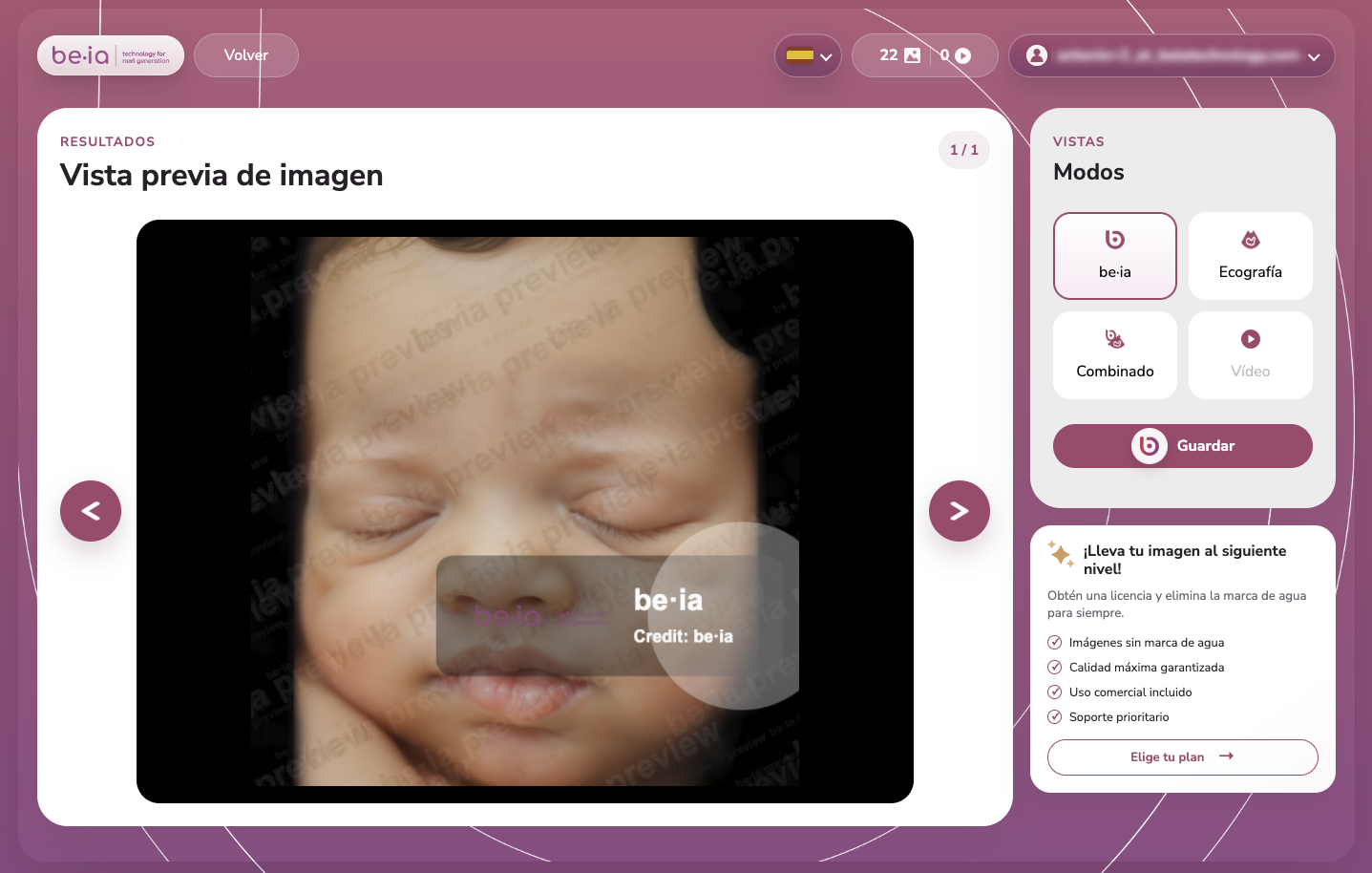
Be·ia web app for uploading 3D, 4D or 5D ultrasound scans
Web app or Windows application depending on your clinic workflow

Two ways to use Be·ia

Be·ia offers a web app to upload images manually from the browser and a Windows application to connect the ultrasound machine and automate part of the workflow during the consultation. One licence covers both options.

Two ways to use Be·ia in your clinic

Option 1

Web app

Upload ultrasound images manually from your browser. You do not need to connect the ultrasound machine to start or install software on the consultation computer.

  • Manual upload from the browser.
  • Simplest way to try Be·ia.
  • Ideal for validating results with your own images.
Option 2

Windows application

Connect the ultrasound machine on the network to automate part of the workflow during the consultation. Designed for clinics that want to integrate Be·ia into their usual routine.

  • More automatic workflow during the consultation.
  • Requires a Windows computer and internet.
  • The ultrasound machine must be able to connect on the network.

One Be·ia licence includes both the web app and the Windows application. You can start with the web app and consider Windows integration when it fits your clinic.

Option 1: web app

You do not need to connect the ultrasound machine to start. Create an account, access from the browser and upload an ultrasound image of the baby's face.

It is the simplest way to try Be·ia with real images from your clinic before considering a more advanced integration. You need a clear image of the baby's face in a compatible format.

Be·ia web app for uploading ultrasound scans manually

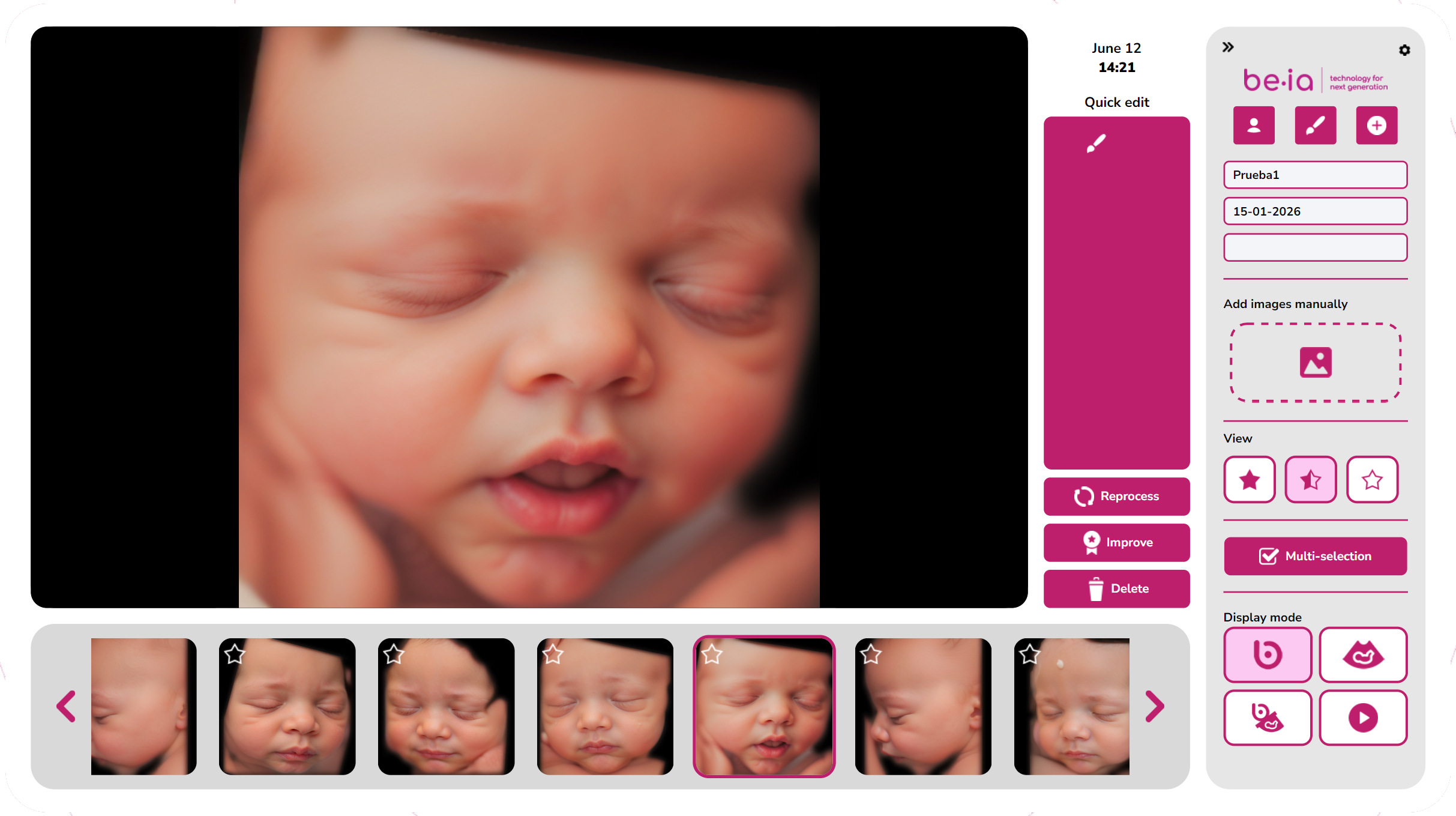
Option 2: Windows application

The Windows application is designed for clinics that want a more automatic workflow during the consultation. It requires a Windows computer and internet connection.

To automate the workflow, the ultrasound machine must be able to connect on the clinic network. The specific configuration depends on each centre's technical environment: not all equipment integrates the same way or with the same steps.

Be·ia Windows application view

What type of images Be·ia needs

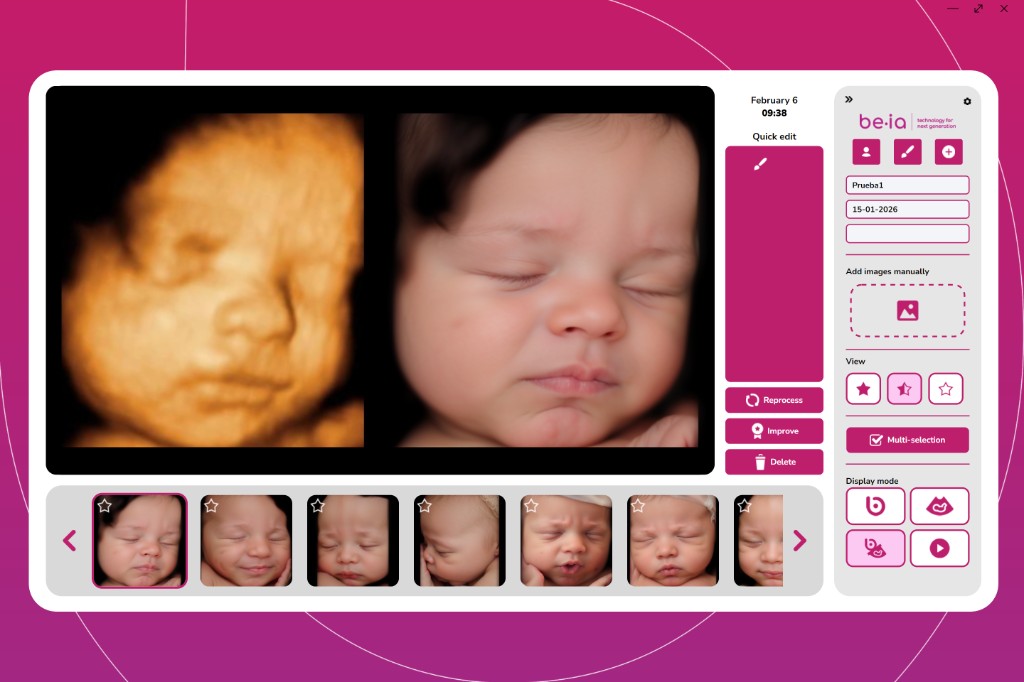
Be·ia processes images from 3D, 4D or 5D ultrasound scans of the baby's face. The capture must be clear and the face visible, preferably centred.

  • 3D, 4D or 5D ultrasound scans with the baby's face visible.
  • Best results when the face is centred and well defined.
  • Avoid hands in front of the face, poor visibility or captures that do not show the face.

The result always depends on the quality of the original image. A good capture makes a more convincing hyperrealistic image; a poor capture limits the result.

Does it work with any ultrasound machine brand?

Be·ia works from 3D, 4D or 5D ultrasound images. It does not replace the ultrasound machine or validate compatibility of every piece of equipment on the market by itself.

For the web app, what matters is being able to provide a compatible, clear image of the baby's face. For the Windows application, connection depends on computer configuration, the clinic network and how the ultrasound machine is integrated in that environment.

The most reliable way to check whether Be·ia fits your clinic is to try with your own images from the web app. If you have technical questions about network or integration, you can contact Be·ia and review the case with your team.

Recommended workflow for a clinic

01

Try from the web app

Upload your own ultrasound scans and check the result with real images from your clinic, without connecting the ultrasound machine.

02

Review result quality

Assess whether the quality of the hyperrealistic images fits the experience you want to offer during the consultation.

03

Consider Windows integration

If the result fits, consider the Windows application and connecting the ultrasound machine on the network with your technical lead.

More information for your clinic

This page focuses on technical requirements and usage options. For the general product workflow, visual examples or pricing, see:

FAQ

Technical questions about compatibility

No. You can create an account and upload images from the web app without connecting the ultrasound machine. Network connection is optional and designed for clinics that want a more automatic workflow with the Windows application.
Images from 3D, 4D or 5D ultrasound scans of the baby's face. You need a clear capture where the face is visible.
Be·ia works from images of 3D, 4D or 5D ultrasound scans. For the web app, what matters is having a compatible image. For the Windows app, connection depends on equipment configuration and the clinic's network.
No. The Windows application is optional. You can use Be·ia from the web app only. The Windows app lets you connect the ultrasound machine on the network to automate part of the workflow during the consultation.
A Windows computer, internet connection and the ultrasound machine able to integrate on the clinic network according to your centre's configuration. Specific requirements may vary depending on the technical environment.
You can still use Be·ia from the web app by uploading images manually. Network connection is only needed if you want the automatic workflow with the Windows application.
Yes. The simplest way is to create an account and upload your own ultrasound scans from the web app. Includes 50 free watermarked images, no card required.
No. Be·ia is not a diagnostic tool, does not detect anomalies and does not replace medical judgement. It is designed to generate hyperrealistic images of the baby's face and improve the visual experience during the consultation.
Yes. The result always depends on the quality of the original ultrasound. It works best with clear captures of the baby's face, without hands covering the face or poor visibility.

Start from the web app and assess integration with your ultrasound machine later

Check compatibility with your own images before considering network connection with the Windows application.

50 watermarked images. No card required.